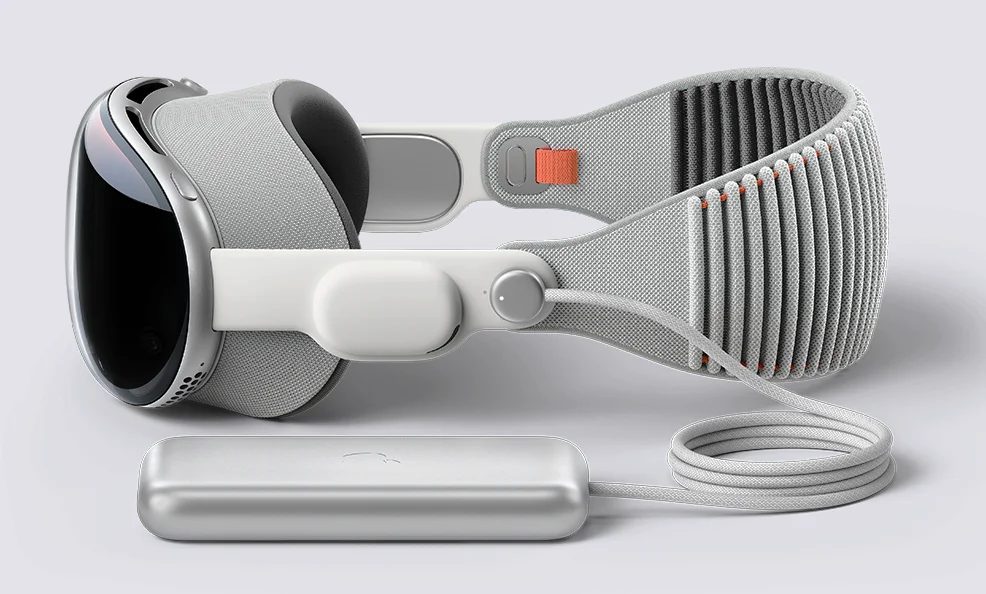
Apple Vision Pro Charger: since the release of the Apple Vision Pro, many people have seen wearing it in spots or basically outside in the environment. You can do a lot of works by wearing it like making a Coffee in coffee machine, Playing etc. On the off chance that you are thinking about using the headset for a full day, the essential thing keeping you down is the charging and battery pack of the Apple Vision Pro.
Let’s take a closer look at everything, like the all 30W above USB-C Power Adapter which are good enough to charge the apple vision pro and the best portable battery packs, to unlock the full potential of this device. When you find the best mix of charging stuff, it makes things easier and faster every day for you. The Launching Price of the Apple Vision Pro is $3,499.
1. Power Adapter for Your Apple Vision Pro Battery
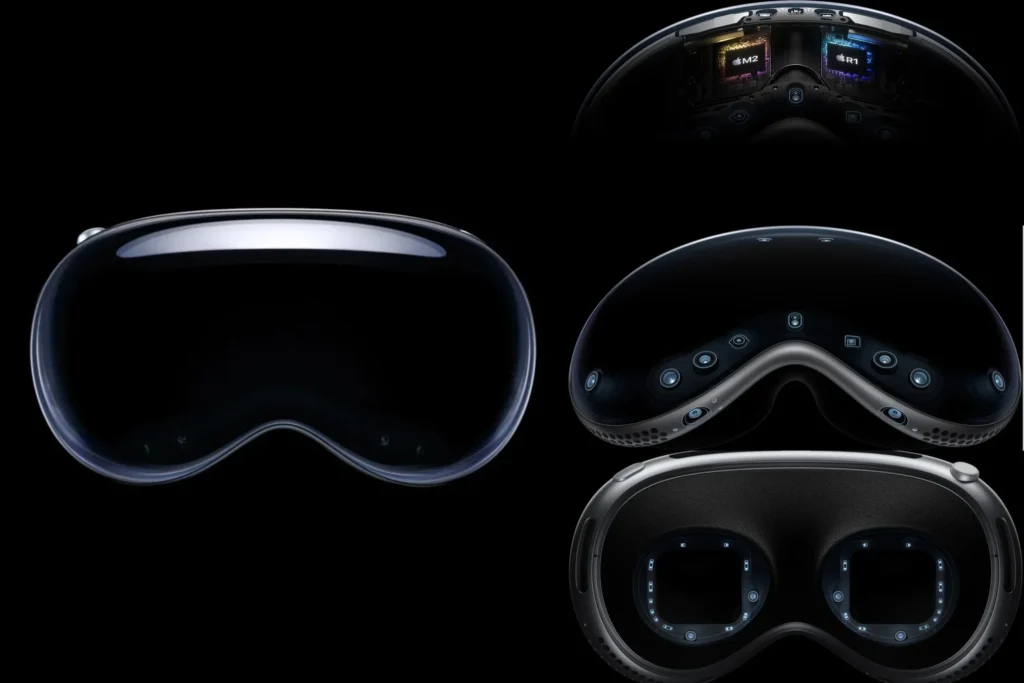
There are several points to consider when working out which power adapter(Apple Vision Pro Charger) you need to charge the Apple Vision Pro Battery. Firstly, the most important rule is to make sure that you buy one with the correct USB port for your Apple Vision Pro Battery.
If you have a USB-C to USB-C cable and Lightning to USB-C cable, you will need a USB-C power adapter and If you have a 30-Pin to USB-A or Lightning to USB-A cable then need a USB-A power adapter. Additional points to consider include the wattage of the power adapter (Apple Vision Pro Charger)30 watt or more when you buy. The higher the number, the faster your battery will charge, but note that the adapter will also be bigger in size.

A 30W power adapter is smaller than the 45W equivalent, while a 140W power adapter is bigger and faster than both of those previously mentioned. It does not really matter which wattage you go for since they all work, just at different speeds. If you are looking to buy one ahead of traveling, it is worth considering purchasing the Apple World Travel Adapter Kit, so you would not need to worry about your Apple Vision Pro or other Apple products being damaged by sub-standard international plug adapters.
2. Connecting and Charging
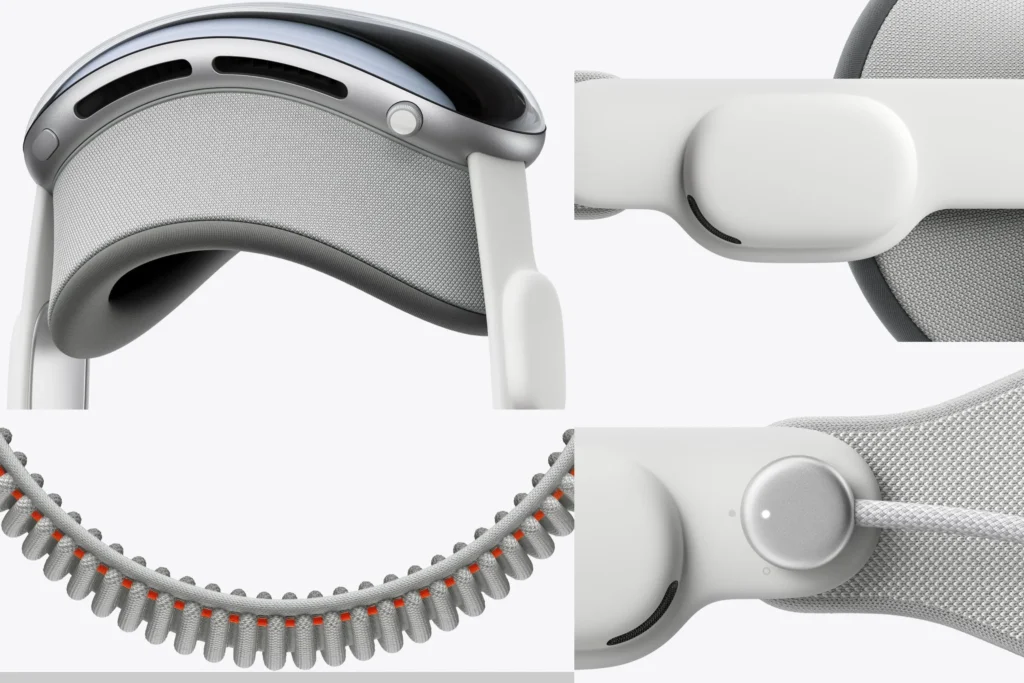
Connecting the Apple Vision Pro battery is a straightforward process that ensures your device stays powered for throughout the day. Here is how you can do it.
To connect First Insert the power cable into the power connector on the left Audio Strap, ensuring the alignment of the dots on the cable and the strap. Then Rotate the cable clockwise one quarter turn to secure the connection. When it is successful, the light on the power cable pulses, indicating the device is powered on.
To disconnect the battery, first save any open documents and then turn the power cable counterclockwise until it detaches. This will turn off the device.

For Charging connect the Apple Vision Pro battery to a power outlet using a USB-C Charge Cable and an Apple USB-C power adapter(Apple Vision Pro Charger) which should be rated for 30W or higher. The light next to the battery’s USB-C port will turn on, indicating a successful connection to power.
3. Monitoring Battery Level in visionOS
You can Keep track of your battery’s charge level by Control Center on your Apple Vision Pro. The battery level is shown in the top-right corner of the vision Pro. For precise percentage readings, navigate to Settings > Battery and enable Battery Percentage.
4. Understanding Battery Levels

The light beside the battery’s USB-C port works as a quick indicator of the battery’s charge level. Here is what you need to know is.
Green Light: Indicates a high charge level (50% or higher).
Amber Light: Indicates a moderate charge level (between 5% and 49%).
Amber Light Pulsing Slowly: Indicates a low charge level, requiring further charging.
5. Monitoring Battery Level in vision OS
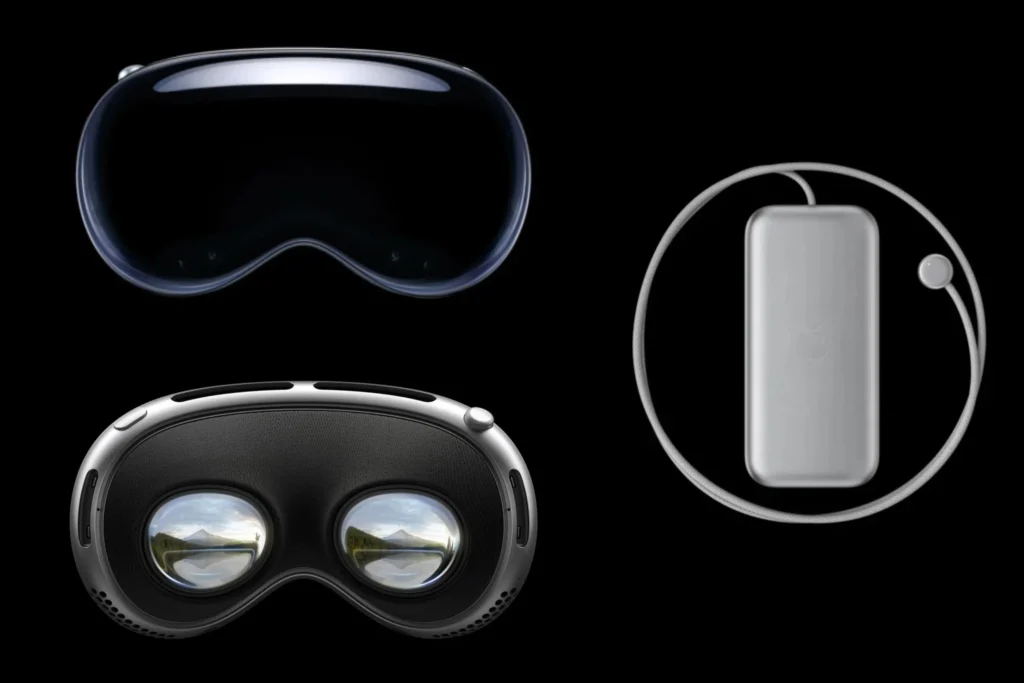
You can Keep track of your battery’s charge level by Control Center on your Apple Vision Pro. Use the Apple Vision Pro Charger to charge it. The battery level is shown in the top-right corner of the vision Pro. For precise percentage readings, navigate to Settings > Battery and enable Battery Percentage.
6. Troubleshooting
Encountering issues with charging your Apple Vision Pro battery? then below there are some of the troubleshooting tips.
Troubleshooting tips (Apple Vision Pro Charger)
Aware that you are using a USB-C power adapter(Apple Vision Pro Charger) which is rated for 30W or more than that. Try using different power adapter or USB-C charging cable to check the connectivity issues. Verify the electricity source can power other devices also. Avoid liquid exposure in the charging port and keep the battery away from heat sources.
7. Best Practices for Battery Care

To increase the lifespan of your Apple Vision Pro battery, follow these best practices: Keep the battery close to your body while wearing the device, like in the pocket. Avoid exposing the battery to the heat sources. Be aware of the battery and power cable during use to prevent accidental detachment. Use a good Apple Vision Pro Charger. Remove the battery from the connection while charging to prevent overheating.
Apple Vision Pro Features and Specifications

| FEATURES | DETAILS |
|---|---|
| Name | APPLE VISION PRO |
| Capacity | 256GB, 512GB, 1TB |
| Display | – 23 million pixels – 3D display system – Micro‑OLED – 7.5‑micron pixel pitch – 92% DCI‑P3 – Supported refresh rates: 90Hz, 96Hz, 100Hz – Supports playback multiples of 24fps and 30fps for judder ‑free video – Video Mirroring: Up to 720p AirPlay for mirroring your view in Apple Vision Pro to any AirPlay ‑enabled device |
| Chips | – M2 chip: 8‑core CPU with 4 performance cores and 4 efficiency cores, 10‑core GPU, 16‑core Neural Engine, 16GB unified memory – R1 chip: 12‑millisecond photon‑to‑photon latency, 256GB/s memory bandwidth |
| Camera | – Stereoscopic 3D main camera system – Spatial photo and video capture – 18 mm, ƒ/2.00 aperture – 6.5 stereo megapixels |
| Sensors | – Two high‑resolution main cameras – Six world‑facing tracking cameras – Four eye‑tracking cameras – TrueDepth camera – LiDAR Scanner – Four inertial measurement units (IMUs) – Flicker sensor – Ambient light sensor – Optic ID: Iris‑based biometric authentication |
| Audio Technology | – Spatial Audio with dynamic head tracking – Personalized Spatial Audio and audio ray tracing – Six‑mic array with directional beamforming – Supports H2‑to‑H2 ultra‑low‑latency connection to AirPods Pro (2nd generation) with MagSafe Charging Case (USB‑C) |
| Audio Playback | Supported formats include AAC, MP3, Apple Lossless, FLAC, Dolby Digital, Dolby Digital Plus, and Dolby Atmos |
| Video Playback | Supported formats include HEVC, MV‑HEVC, H.264, HDR with Dolby Vision, HDR10, and HLG |
| Battery | – Up to 2 hours of general use – Video watching up to 2.5 hours – Apple Vision Pro can be used while charging the battery |
| Connectivity and Wireless | – Wi‑Fi 6 (802.11ax) – Bluetooth 5.3 |
| Operating System | visionOS |
| Input | Hands, Eyes, Voice |
| Supported Input Accessories | Keyboards, Trackpads, Game controllers |
| Interpupillary Distance (IPD) | 51–75 mm |
| Device Weight | 21.2–22.9 ounces (600–650 g) |
| Accessibility | – Voice Over – Zoom – Color Filters – Hearing Device Support – Closed Captioning – Voice Control – Switch Control – Dwell Control – Pointer Control – Support for Made for iPhone bi‑directional hearing aids – Support for Made for iPhone switch controllers |
| In the Box | Apple Vision Pro (Includes Light Seal, Light Seal Cushion, and Solo Knit Band), Cover, Dual Loop Band, Battery, Light Seal Cushion, Polishing Cloth, 30W USB‑C Power Adapter(Apple Vision Pro Charger), USB‑C Charge Cable (1.5m) |
| Electrical and Environmental Requirements | – Operating ambient temperature: 32º to 86º F (0º to 30º C) – Storage temperature: −4º to 113º F (−20º to 45º C) – Relative humidity: 0% to 95% |
| Apple and the Environment | Apple is carbon neutral for global corporate |

- apple vision pro charger price – Click Here to see it on the Official Page.
- apple vision pro charger sold separately – No It will be Included in the Box.
- apple vision pro charging time – 90 minutes from 0 to 100 with the Battery.
Leave a Reply